

How to Make a Simple Home Command Center for Caregivers
Get More Organized than EVER!
At a Glance
- What it is: A simple home command center for caregivers that keeps appointments, bills, forms, and family schedules in one easy spot.
- Why it helps: You lower your mental load, miss fewer deadlines, spend less time hunting for papers, and reduce daily stress.
- Best setup location: Somewhere you pass every day, like the kitchen, entryway, or main hallway.
- Choose a style: Pick one you will actually use: a wall hub (calendar plus inbox), a clipboard station (one page per topic), or a simple digital calendar and task list.
- Keep it working: Do a 5 to 10 minute daily reset, a quick weekly update, and a monthly paper sweep.
Caregiving can make your life feel like a junk drawer that won’t close. One minute you’re juggling a cardiology visit, the next you’re hunting for an insurance card, then you remember the school fundraiser is tomorrow. Add meds, forms, ride coordination, and bills, and your brain starts running like an overworked air-traffic controller. A home command center for caregivers offers a way to help define and manage this chaos.
A home command center gives you one trusted place to see what’s next on the agenda. Through smart home organization, you can start it in about an hour, with supplies you already own. This isn’t meant to represent a perfect Pinterest wall. It’s meant to lower your mental load.
You’ll start small with decluttering, then adjust as you learn what your household actually uses. Progress beats perfect every time. You can do this!
Pick the right spot and decide what your command center must do
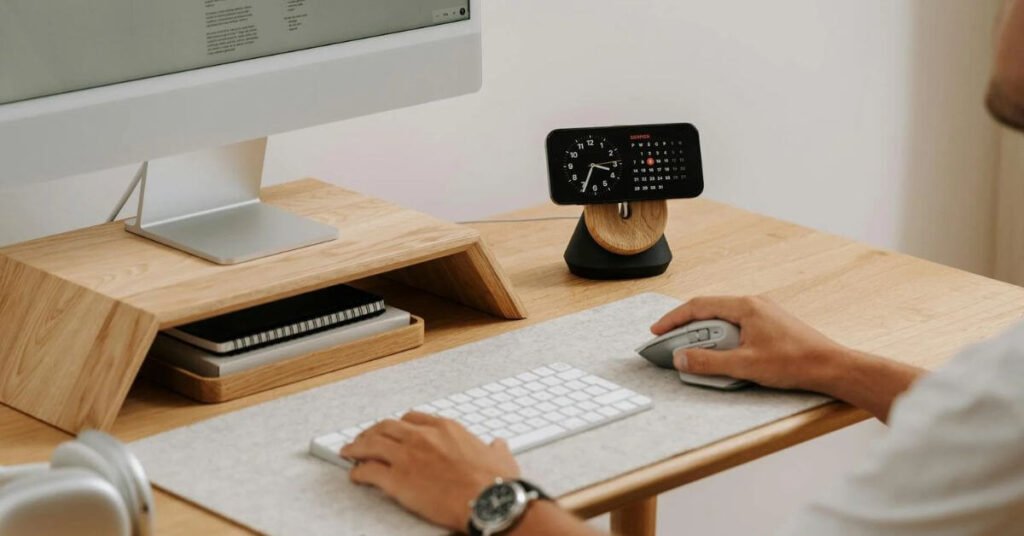
The best spot for your command center is a central location that you pass every day without thinking. For most homes, that’s the kitchen, a main hallway, or the entryway where keys and mail land. A small desk corner can work too, but only if it’s not “out of sight, out of mind.”
Your goal is simple: one place to see the next 7 to 30 days, plus one place to catch paper before it spreads. If your command center doesn’t help you answer, “What’s coming up?” and “What needs to be paid or signed?,” it becomes decor.
To keep it practical, use this P.A.C.T. quick start plan:
- Purge: Clear the counter pile, old mail, random sticky notes, and paper clutter. Keep only important papers that are active.
- Assess: Notice what keeps derailing you — missed appointments, school papers, late fees, missing or incomplete forms, medicine times, ride confusion.
- Contain: Give each problem a home — a bin, a folder, a single list, a notepad, a single calendar, an interactive calendar.
- Tag: Label things so your tired brain can sort fast, even at 9 pm.
Caregiving adds extra categories most families don’t have to plan for, like transportation, caregiving notes, safety considerations, and paperwork that must be returned. If your loved one has multiple providers, you also need a spot for “the list of questions” so you don’t rely on memory in the exam room.
If you need a friendly reminder that function matters more than looks, see this practical take on creating a command center. Just get started — you’ll figure out how to make your command center work for you and your family.
Your 10-minute setup checklist: space, light, and privacy
After you identify a location for your command center, let’s address space, light, and privacy.
Effective organization systems can help with daily management but you need certain things. Use this quick checklist for the next components of your command center:
- A wall or corner you pass daily (near coffee, keys, or the fridge).
- Good light so you can read labels and dates without squinting.
- A pen cup that never moves (pens, highlighter, Sharpie).
- A private pocket for health and money info (bin with a lid, folder, or inside a cabinet door).
- A drop zone for today’s paper so it doesn’t hit the counter.
If you can’t see it, you can’t use it. Visibility is your best “memory tool.”
Choose your categories so nothing important floats around the house
Start with 6 to 8 labels. Fewer labels mean less sorting, and that might not be enough for your organizational goals. You need to sort things out to get organized. Consider what labels will work best for you.
Here’s a set of labels that fits most caregiving homes:
- Appointments
- Bills to Pay
- Paid and Filed
- Forms to Sign/Complete/Submit
- Meds and Care Notes (basic, not a full medical chart)
- Family Schedule
- Papers
- To-Do Lists
CREATE a HOME command center FOR CAREGIVERS that actually gets used
Remember, you don’t need a “best” command center. You need the one you’ll check every morning and works for you. In 2026, lots of caregivers use a mix of paper plus a family calendar. Some families even use a spare tablet as a glanceable family command center, especially when multiple people share care.
We are going to take a look at three kinds of command centers below:
- a low-tech wall setup;
- a clipboard station;
- a digital dashboard.
Here’s a simple comparison chart to help you choose which might be best for you; then you will find additional information below.
| Option | Best for | What you’ll like | Watch out for |
|---|---|---|---|
| Wall setup | Visual thinkers, busy kitchen command centers | Big picture at a glance | Needs a quick daily reset |
| Clipboard station | Tiny spaces, multi-person care | Easy to update, easy to hide | Can get ignored if it’s tucked away |
| Digital dashboard | Families coordinating across homes | Automatic reminders, shared access | Privacy settings matter |
Once you pick one, commit to a two-week trial. After that, adjust one piece at a time.
The low tech wall setup: calendar, inbox, and a place for keys
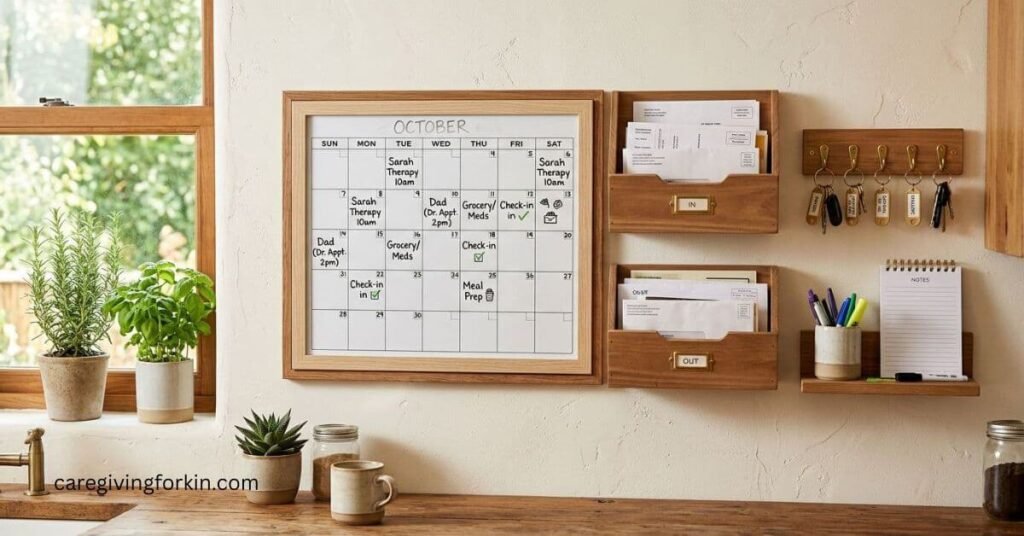
Keep the “wall hub” basic. You’re building a cockpit, not a craft project. A dry erase board works great here, or consider options like a bulletin board, magnetic board, or chalkboard calendar for variety.
Consider core pieces that earn their space in your wall mounted organizer because you’ll actually use them:
- A dry erase board for appointments and due dates.
- A this-week notepad (or a weekly pad) for what’s urgent.
- Two containers for paper flow: a mail organizer (In: To Be Processed) and paper sorter (Out: To Mail or Return).
- Key rack and a lanyard hook.
- One thin folder for caregiver essentials (current insurance copies, med list, provider phone numbers).
Also keep small supplies right there at your command center: stamps, envelopes, return-address labels, and a spare phone charging station. When you can finish a task in one standing session, you’ll finish more of them:)
Budget: you can often do this for $20 to $60 if you buy a new calendar and use bins you already have. Thrift stores are gold for small trays and wall baskets.
The clipboard method for busy families: one board per person or topic
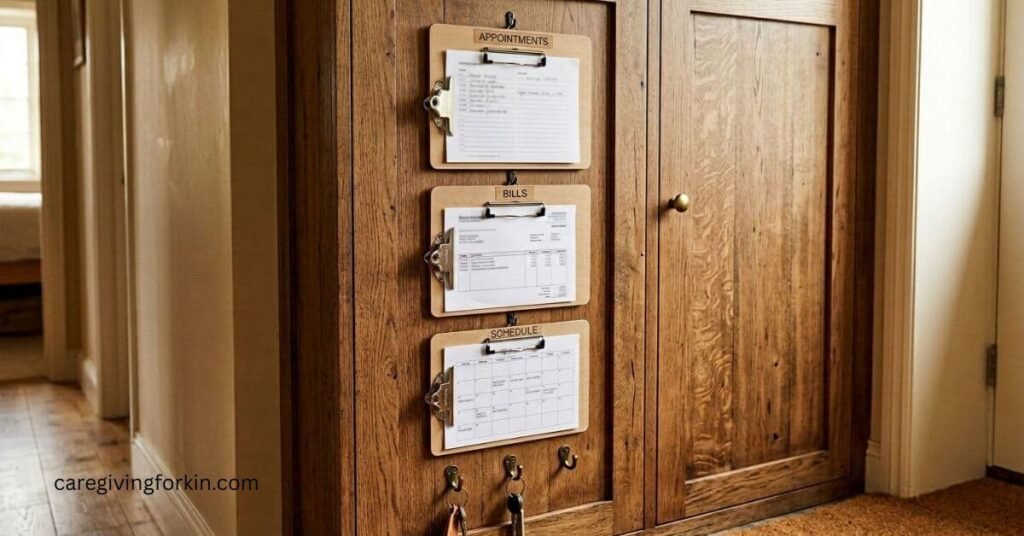
If your counters are already crowded, clipboards can save you. Hang 3 to 6 clipboards on a wall strip or inside a cabinet door.
Label by person or topic, for example: Mom’s appointments, Dad’s meds list, Kid’s school, Bills to be Paid, Grandma’s Appointments. Then keep each clipboard to one page that you update weekly. That one-page limit is the secret sauce. It forces you to keep only what’s current. Nothing goes on a sheet that isn’t happening in the next 2-3 weeks.
This method also works well when siblings help. You can snap a photo of one clipboard page and text it with reminders instead of rewriting details.
(This concept was harder for me to understand so I created three sample pages that you can review for ideas. You would print one page per clipboard and label the clipboard by topic or person. Once a week, replace the page with a fresh copy. Keep only what is current. If it is not happening in the next 2 to 4 weeks, it should not live on the clipboard.🙂)
The simple digital dashboard: shared calendar plus a screen you can glance at
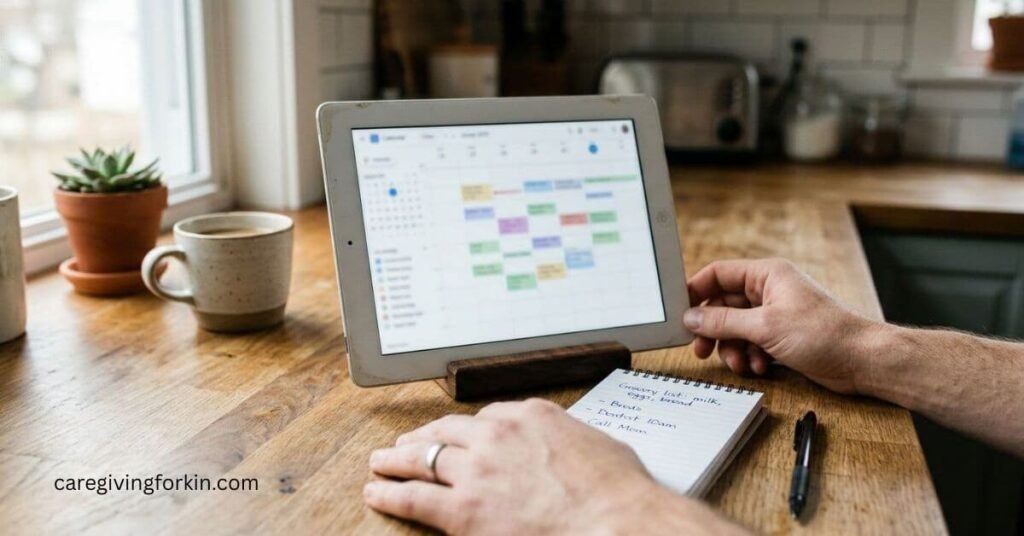
Digital works best when it stays simple. Start with a family calendar, then add one shared task list to build your family command center.
A beginner-friendly setup looks like this:
- Family Calendar: Google Calendar is common because it’s easy to share across households.
- Shared To-Do List: Todoist or Asana works, but even a basic notes app can be used to start.
- Phone Reminders: set alerts for appointment departure times and refill days.
If you have a spare tablet, place it on a stand where you’ll see it during breakfast. Set it to show the daily agenda, the next appointment, and your top three tasks. You don’t need a fancy dashboard to get the benefit.
Safety and privacy matters, though. Use a passcode, turn off lock-screen previews, and avoid displaying diagnosis details in a public spot.
For more ideas on caregiver-friendly apps, this list of useful caregiver apps for 2026 can help you choose tools without downloading ten at once. My favorite: Cozi Family Organizer. We’ve been using it for years.
Keep it running in 10 minutes a day (so it stays helpful, not another chore)
A family command center only helps if it stays current. The good news is you don’t need a weekend overhaul. With consistent daily routines, you need a short rhythm.
Think in three layers:
- a daily reset;
- a weekly plan;
- a monthly paper sweep. That’s it.
Your system should feel like relief. If it feels like homework, it’s too complicated.
Your daily reset: clear the counter, check tomorrow, confirm rides
Set a timer for 5 to 10 minutes after dinner, or right after the kitchen closes.
- Move every paper at the command center into the right bin.
- Then glance at tomorrow’s daily tasks to make sure you’re prepared.
- If you need transportation help, confirm rides early so you’re not scrambling at 7 am.
Finally, if you have appointments for your loved one, set out what you’ll need for the appointment: ID, insurance card, a med list, and your questions.
That last part is huge. When you walk in prepared, visits run smoother, and you leave with fewer regrets.
Your weekly and monthly rhythm: bills, refills, and paperwork without panic
Once a week, update the family calendar, tackle meal planning for your weekly menu, and pick three priorities that will make the week feel under control. Review chore charts with other family members, check bills due, check refill timing, and add school or family events as soon as you hear about them.
For bills, keep a simple flow: put statements in Bills to Pay, pay on your chosen day, then write the confirmation number on the paper and move it to Paid and Filed. Do the same for your loved one’s bills if you take care of them.
Once a month, do a quick paperwork sweep of important papers. File or scan what you need, shred what you don’t, and refresh your “forms list” so you know what’s missing before the next appointment.
These habits create reliable organization systems to help maintain your sense of well-being while you are going through midlife, taking care of your family, going to work, and caregiving for a sick or elderly loved one. (Is there such a thing as a sense of well-being under these circumstances? 😜 We can dream, right?)

summary
A home command center for caregivers won’t erase hard days, but it can streamline family organization and reduce the daily friction. You’ll miss fewer appointments, pay fewer late fees, argue less about who’s doing what, and feel calmer because your family schedule and important papers live in one place.
Choose one practical command center setup (wall, clipboard, or digital) and do a 30-minute starter version today. Then improve it with storage solutions after you live with it for two weeks to further enhance your home organization. Progress counts, even when life is messy.
Let’s have a Conversation
- Do you use a home command center for caregivers to help you organize your life? If so, what one element works best for you?
- Have you discovered any amazing family organization Apps that work well for you?
- What about caregiving apps?
Share your thoughts in the COMMENT SECTION below and someone from CAREGIVING FOR KIN will get back to you.
With light and love,
Susan B ✨